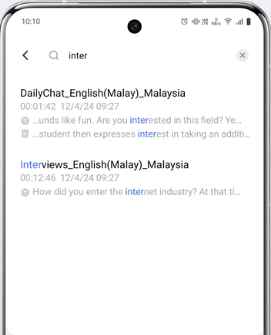
It also supports text search and enters keywords to search for related audio files.
Notes:
1. AI Transcript Assist requires a network connection and a vivo account login, and has limitations on the length of the recording and the number of times it can be used to generate a summary. Please refer to the actual use.
2. The supported languages will be gradually rolled out based on device settings, country/region, and language support.
3. This function is only available on certain models in some countries/regions.
Record and see the transcript
You can record audio and have the spoken words transcribed in the Recorder.
UI path:
1. Go to the Recorder app.
2. Tap the record button  to start recording.
3. After completion, tap .
4. Tap the Transcribe button to view the transcribed text.
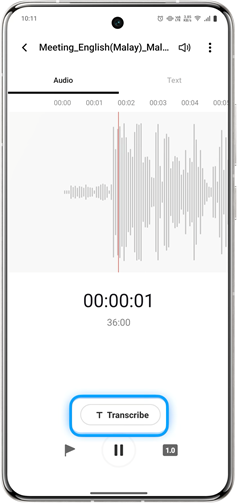
Note: Spoken words in supported languages will be automatically transcribed.
Tap the Summarize button to summarize the transcribed text.
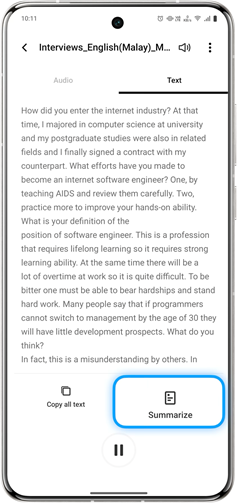
Search text in the Recorder
1. Go to the Recorder app
2. Tap the search button 
3. Enter the text you want to find in the search bar.